Step by step
INOFF screenshot with demonstration data
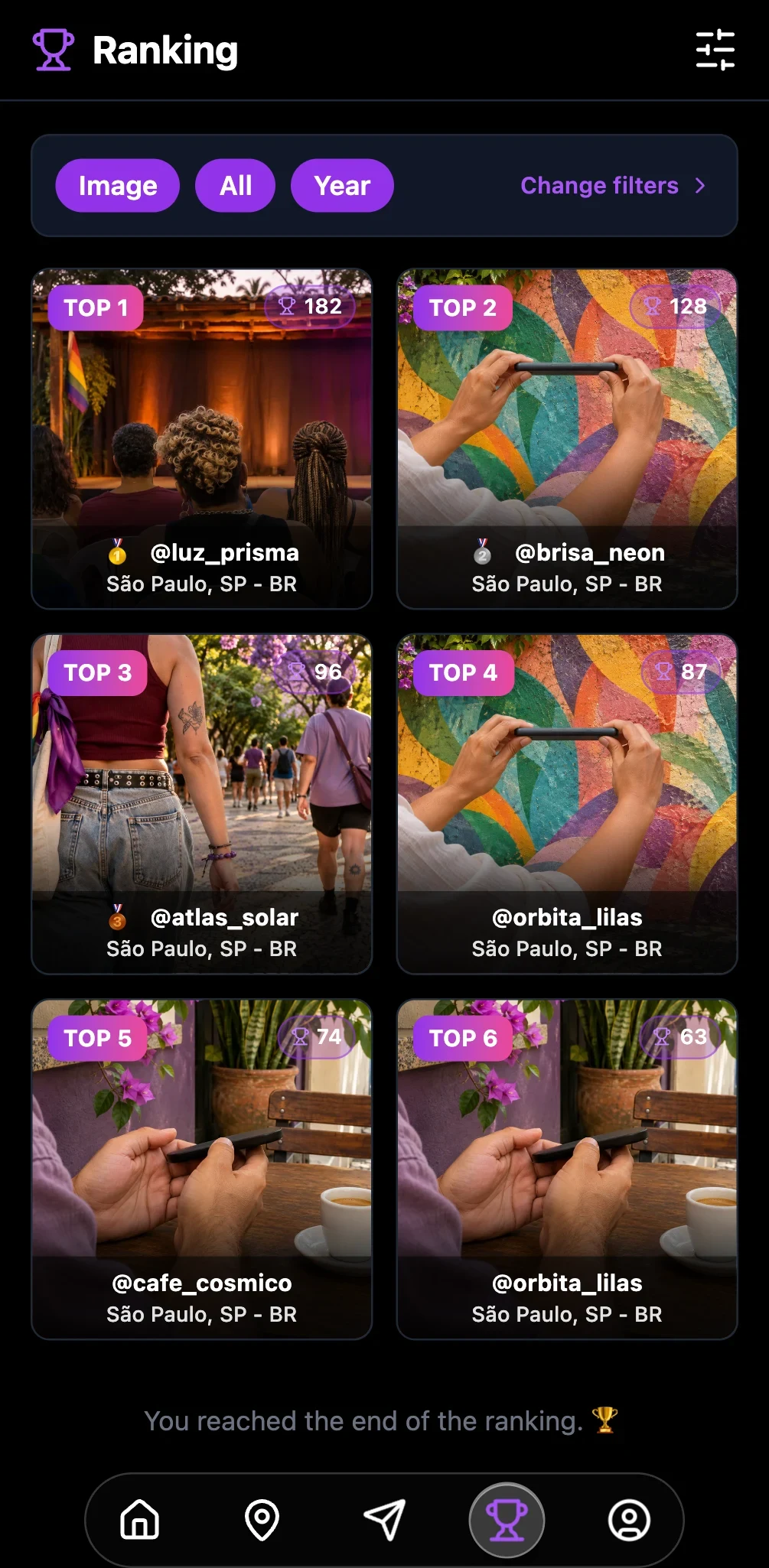
Open Rankings
Open Rankings to see how posts are placed and how many votes they have in the current list.
 Open full-size screenshot
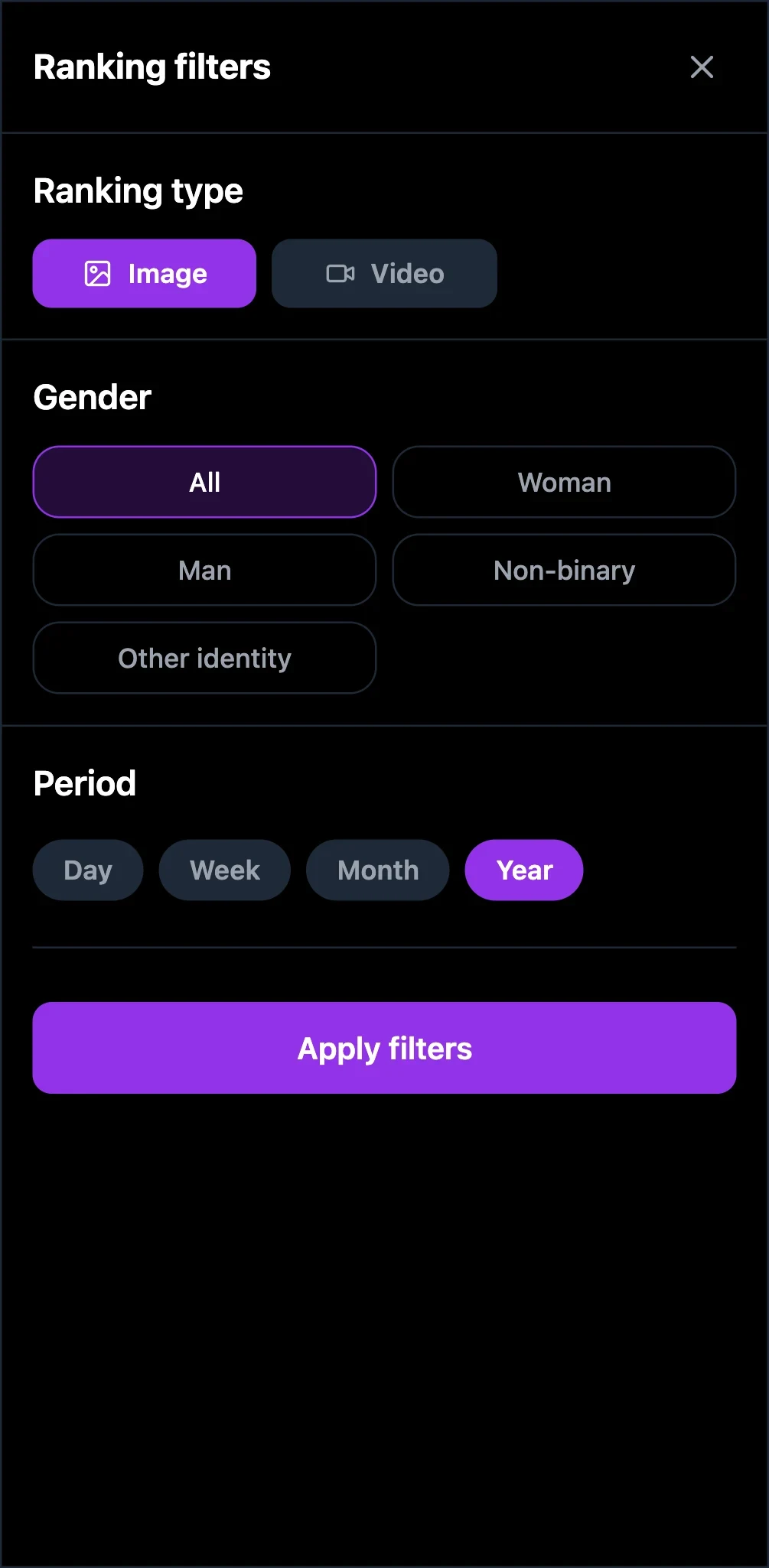
Choose the filters
Tap the filters icon to choose the media type, gender, or time period. Use Apply filters to go back to the list.
 Open full-size screenshot
Vote with the trophy icon
Open an eligible photo or video and tap the trophy to vote. The filled trophy shows that you voted. Tap it again to remove your vote.
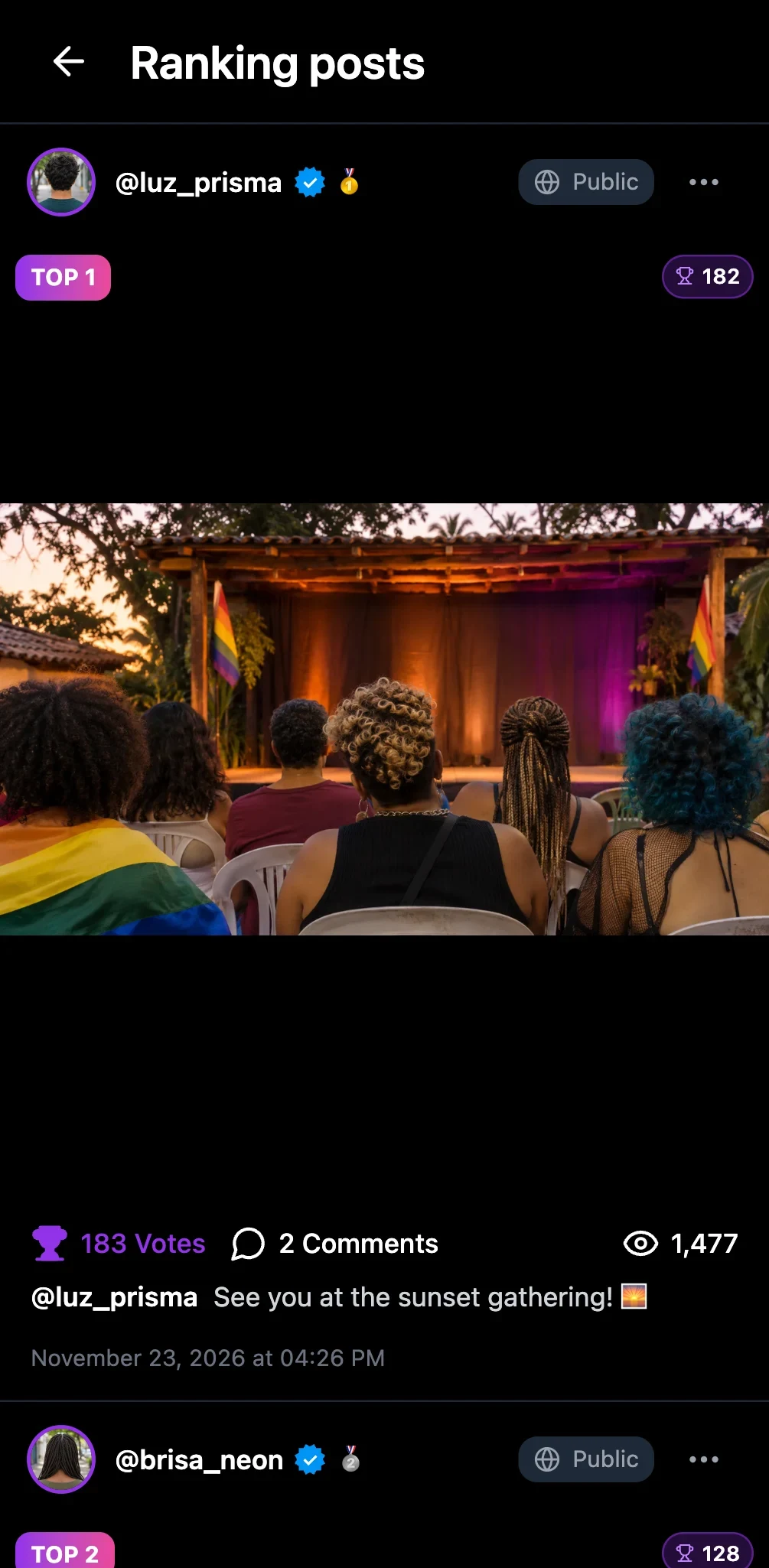 Open full-size screenshot
On INOFF, you can vote on eligible posts and discover new content through Rankings. The position you see reflects the list you’re viewing. The daily photo and video awards follow their own rules for public posts.
How do I vote on a post?
Tap the trophy on an eligible post from another member. Tap it again to remove your vote. On text posts, you can join the discussion in the comments.
How do I filter the rankings?
Open Rankings and choose a content type and time period. For example, you can view images or videos ranked by day, week, month, or year. Open a post in the list to see the full content.
How can a photo or video enter the daily awards?
Photos and videos have separate daily editions. The post must be public and finish processing by the edition deadline shown in the app. An eligible post then has 24 hours to receive valid votes.
Once a post earns an award, the award title stays with it. Positions in rankings can change as you adjust filters or as new votes come in.